Build commercial control
Price, prove, and bill work from what happened on site
Re-flow turns what crews record on site into the information commercial and finance teams need to review costs, support the contract, and prepare invoices. Connect the quote to the job, the job to its costs, and the finished work to the invoice, and give better inputs and evidence to your accounting system.
Trusted by companies running complex operations every day



Back every variation with a signed record
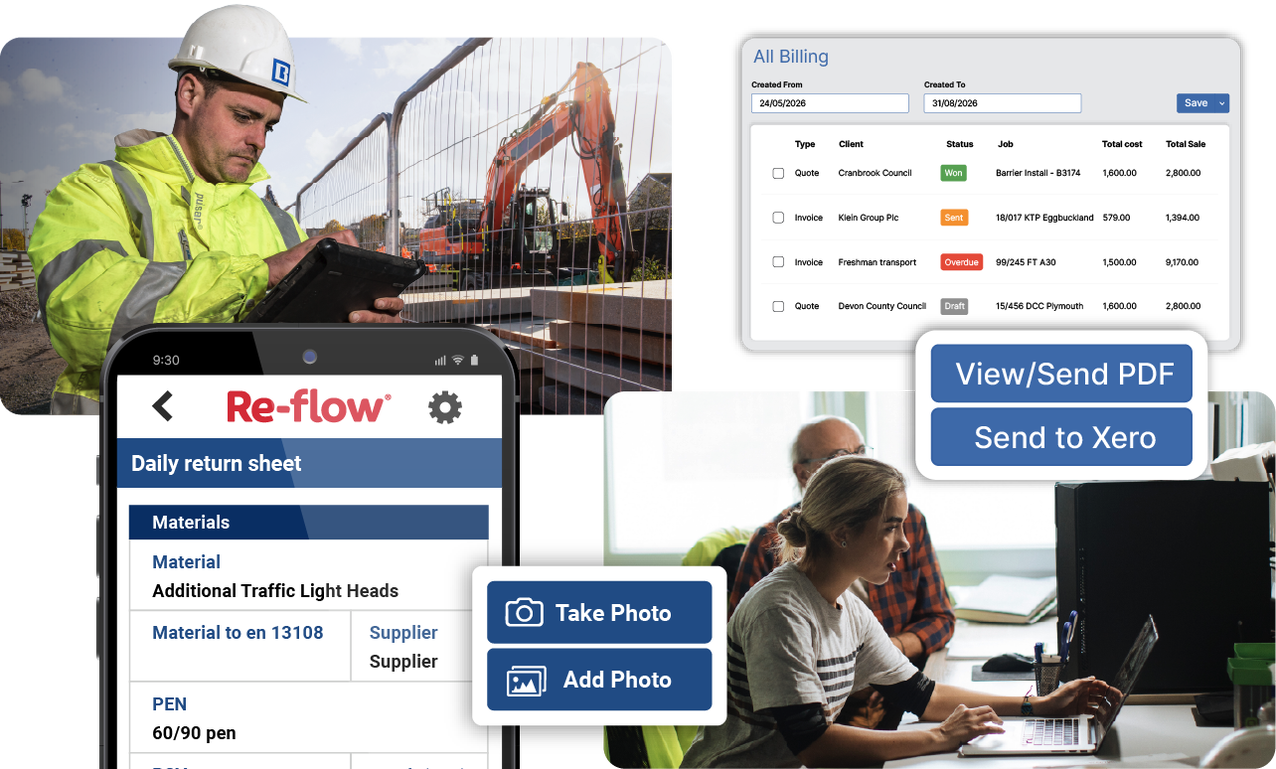
A variation agreed on site is only as strong as the evidence behind it. Re-flow records the change on site, takes the client’s approval there and then, and puts the signed record in front of the commercial team straight away.
Get the signature at the point of change
The client signs the variation instruction on the Re-flow app, and the record reaches the office as soon as it’s submitted.
Record who signed, where, and when
The signature field stores the signer’s name, date, and time. The location field adds a GPS timestamp, and photos show the work the instruction covers.
Keep emailed approvals with the job
An approval that arrives by email or as a PDF can be uploaded to the job record, so everyone with access sees the same agreement, including when the person who received it is away or has left.
Answer a client query from the record
When a client asks for proof of a piece of work, the site diary, photos, and signed forms are already filed against the job.
Toppesfield co-sign forms such as site communications and joint inspections with the client on site. The client’s email goes on the form, and when it’s submitted they get a PDF copy straight from Re-flow. These forms used to be duplicate paper pads, countersigned on site and carried back to the office. Sam Hennessy, business improvement manager, calls it a massive benefit for the audit trail, because the business and the client both hold a countersigned copy.
Invoice from records already in place
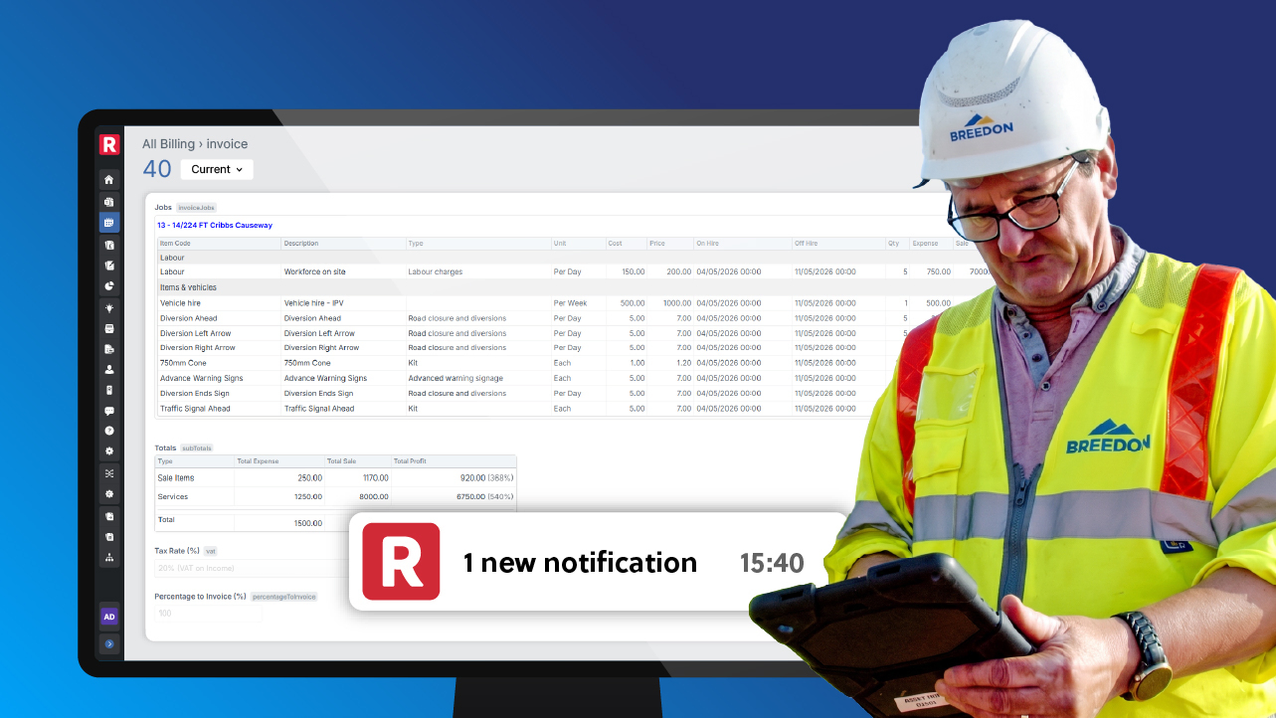
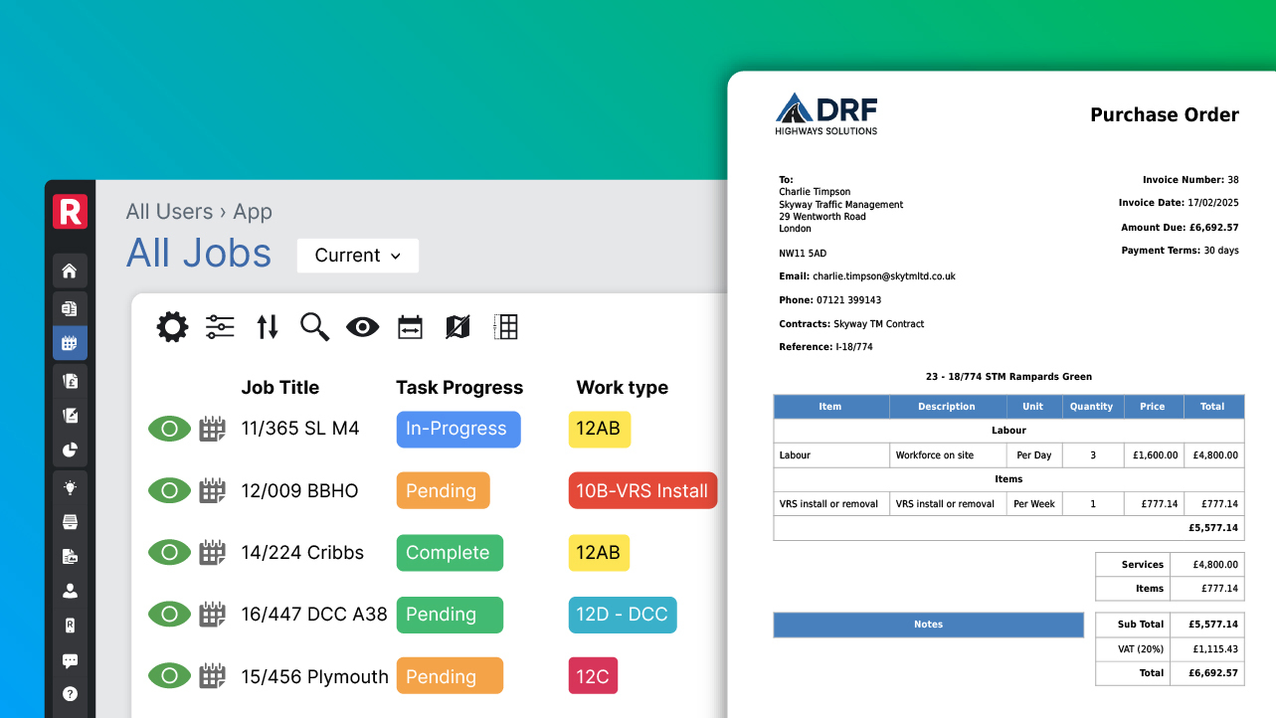
Re-flow raises your invoices from the job’s bill of quantities and submitted records, so the quantities, rates, and supporting evidence are already there when finance pick it up.
React to changes and quickly send new instructions to site
When a method statement or risk assessment changes, the risk of costly errors or delays increases. Re-flow provides a single location for site updates, communication, and document control, so there’s less need to chase teams and fewer trips to site to fix issues. Instead, Re-flow pushes out updated documents to whoever needs them, keeping the office and site always working from the same up-to-date information.
Get the detail you need from site first time
Operatives have plenty to keep track of on a job, and site reporting can be inconsistent. But with Re-flow, forms guide them through the steps you need, everything from taking a photo to capturing a signature. Drop-down menus and autofill cut the typing, and the forms only ask for what’s relevant, cutting down wasted time.
This way, supervisors no longer need to remind operatives what to report and the issue of chasing information improves. The forms are quick to fill in, so they ask less of the crew’s time, and because every operative answers the same questions, the information reaching the office is consistent from site to site and complete when it arrives.
At John Wainwright & Co, supervisors’ reports used to travel back to the office on paper before anyone could bill the work. They’re now submitted from site, and the admin team raise the invoice from them.
We can invoice a job same day now. Before we were waiting four, five, maybe six days.


Keep your accounting system as the financial record
Most businesses already have accounting software they trust, and Re-flow is designed to sit alongside it. Re-flow holds the operational side of the job – the quote, the costs recorded on site, the changes, and the evidence. Your accounting or ERP system keeps the ledger, work-in-progress valuation, retention, and consolidation.
Pass completed invoices to your accounting platform
A finished invoice goes from Re-flow’s billing section to a connected platform, and its status shows once it has been sent.
Keep the proof in Re-flow
Photos, signed forms, and site records stay against the job, ready if a figure needs to be traced back to the work.
Connect to wider systems through the API
Larger businesses can pass job and cost data between Re-flow and their ERP, so each system holds the data it’s best placed to manage.
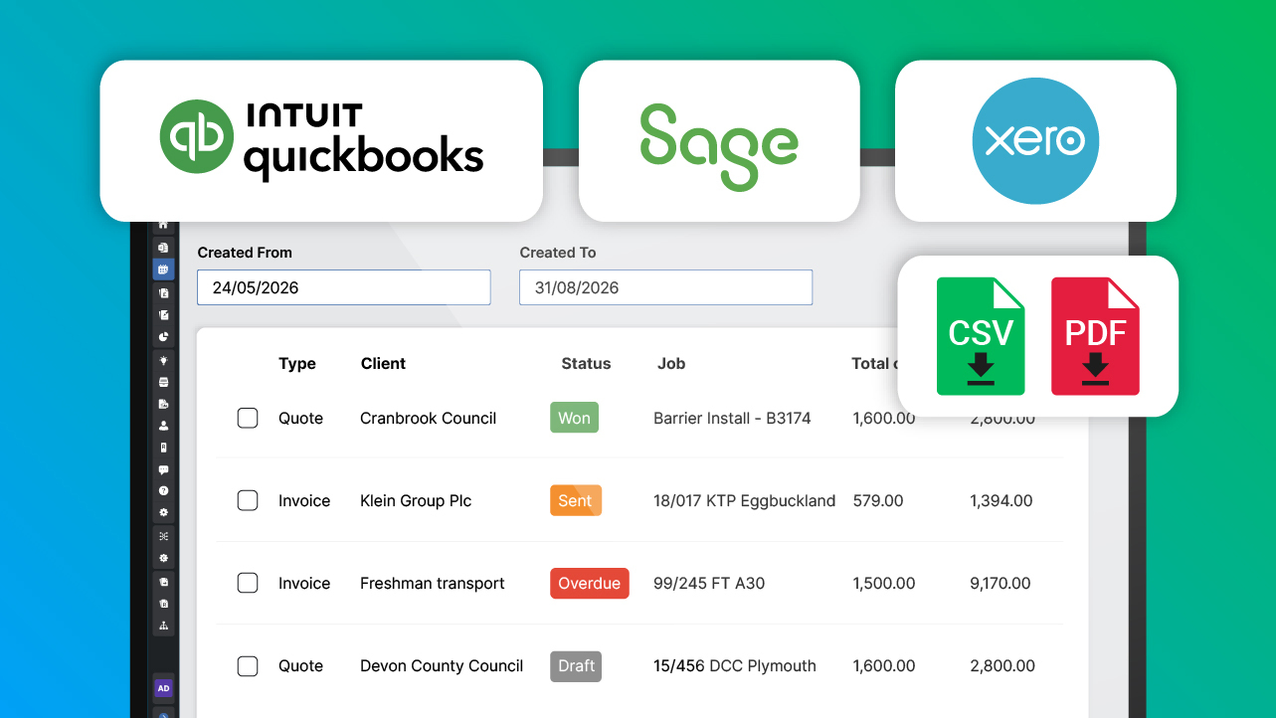
Core Highways estimate and quote work in Re-flow, capture changes as the job runs, and hold operational costs such as vehicles against it. Revenue data then passes to NetSuite, where the final profitability figure is produced. Dafydd Lougher describes the connection as giving the business more scope to see front-end commercials at operational delivery, so operations teams can make decisions with the commercial picture in view.
See the commercial position across jobs and regions
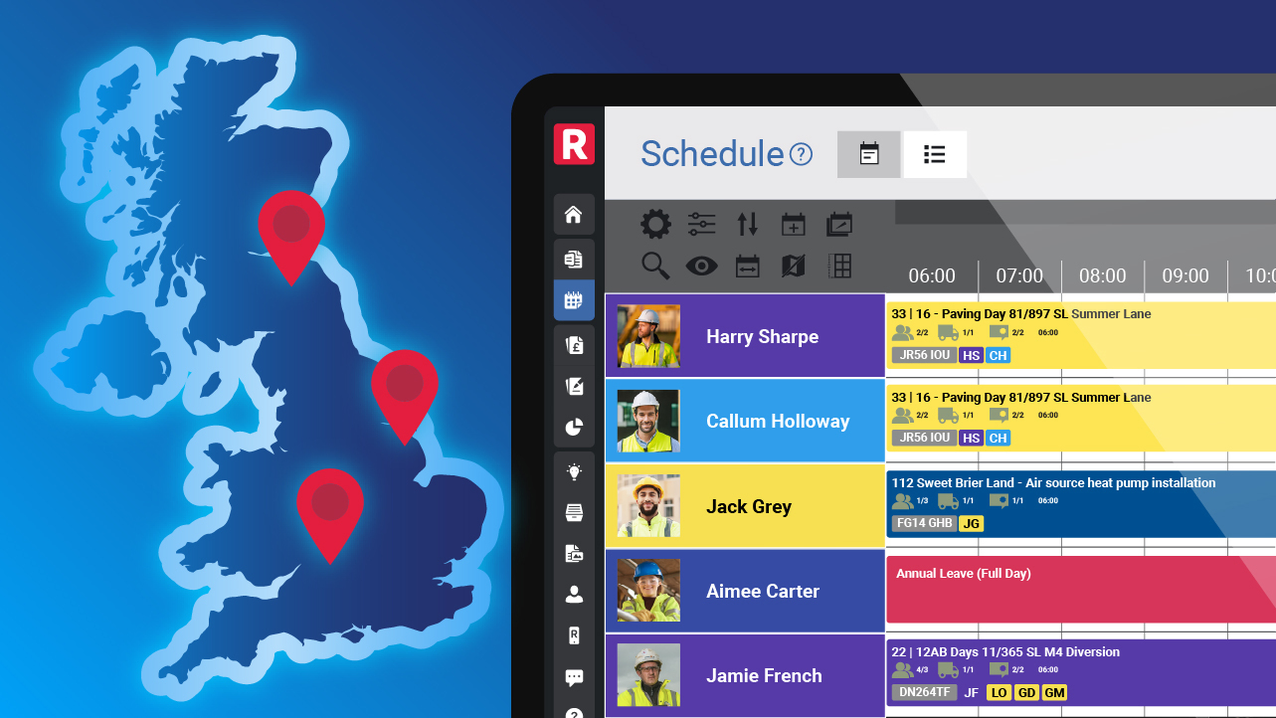
When jobs are run from different depots, systems, or acquired businesses, it’s hard to get a single view of what work is coming in and how it’s tracking. Re-flow brings the work into one place, with estimated, actual, and invoiced figures held against each job.
Review jobs across the business in one place
Regional and senior managers can see work across every depot without opening several systems and piecing them together.
Compare the same items across sites
When every site records actual quantities against its planned bill of quantities, a site using more material than the others shows up sooner.
Take the figures into your own reporting
Job and cost data can be exported or reported on, so it feeds the reviews and forecasts you already run.
Before Re-flow, Core’s regional leaders oversaw depots split across different entities and systems. Many of those systems didn’t track revenue or projections, which made month-by-month forecasting difficult. They now use Re-flow and, on one system, see the work across their full region and all of its depots.

Review job costs while there’s still work to run
Labour, plant, materials, and subcontractors all add to a job’s cost, and they’re often recorded in different places and only added up once the job has finished. Re-flow collects them against the job as crews submit their work, so an area running over its estimate can be spotted while there’s still time to act.
Tie hours to the specific job
Operatives select the job when they submit their timesheet, and the office sees the hours each job has taken so far.
Confirm the day’s resources against the plan
Planned labour, plant, materials, and subcontractors can be pre-filled into the site diary, so supervisors confirm what was used and record only what changed.
Record actual quantities against the bill of quantities
A job sheet lists the items already on the job, and the operative enters the quantity used. Anything missing can be added from the master list.
Check each line against its estimate
Switch the bill of quantities from estimated to actual, and the expense, sale, and profit figures update for every line, calculated from the cost and price held against each item.
At Toppesfield, the planned labour, plant, materials, and subcontractors for each job are sent into Re-flow every day. Supervisors open the job and date, find the site diary already filled in, confirm each item, and add what differed. Sam Hennessy says the quantity surveyors reviewing the diaries “don’t need to ask any questions, which saves a lot of legwork.”
Price the next job from the last one’s actuals
Visibility of financials brings estimates to a new level. Re-flow can go into depth on previous work: the quote, the bill of quantities, and the job are all stored against what actually happened on site in a permanent record.
Start the job from the accepted quote
The quote becomes a live job, and the estimated quantity for each item carries across without being retyped.
Keep estimated and actual figures together
Each finished job holds what was priced alongside what was used, ready to refer back to when similar work comes in.
Keep suppliers and purchase orders on the job
Material and supplier costs sit with the job they belong to, so they’re easy to find when it’s time to price again.
Taylormade Landscape Contractors used to hold tenders, invoices, works schedules, and bills of quantities in separate spreadsheets. Each job now has a bill of quantities built against it, purchase orders sit in one place with a list of suppliers, and the admin team can follow any job from tender through to invoicing and payment.
Keep hire charges tied to what’s on site
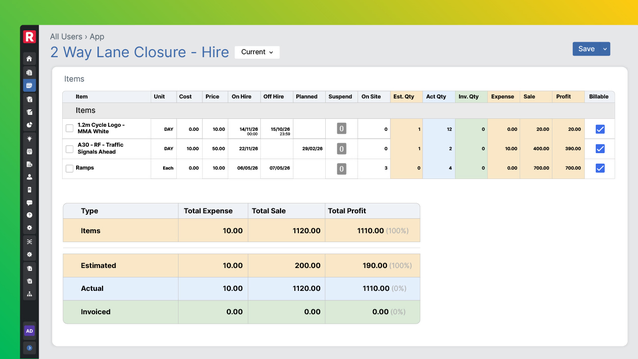
Hired kit that stays on site after it’s needed adds cost every day, and off-hire dates that live off a centralised system tracking everything are easy to miss. Re-flow holds hire against the job, so the charge and the kit still running are both visible.
Track each hired item’s dates
Every item you manage on Re-flow carries an on-hire date, a planned off-hire date, and an actual off-hire date, and the hire charge is calculated from them.
Leave weather days out of the charge
Days lost to weather can be entered as suspensions, so they don’t count towards the hire period.
Set the hire rules once
Unit rules set the minimum hire period and the number of days in a hire week.
See what’s due back
Anyone reviewing the job can see which kit is due off-hire and which is still running.
